
Firewall Control
Windwall
Total control over your network. A lightweight control center for the Windows firewall — real-time connection monitoring, native rule control, and one-click lockdown.
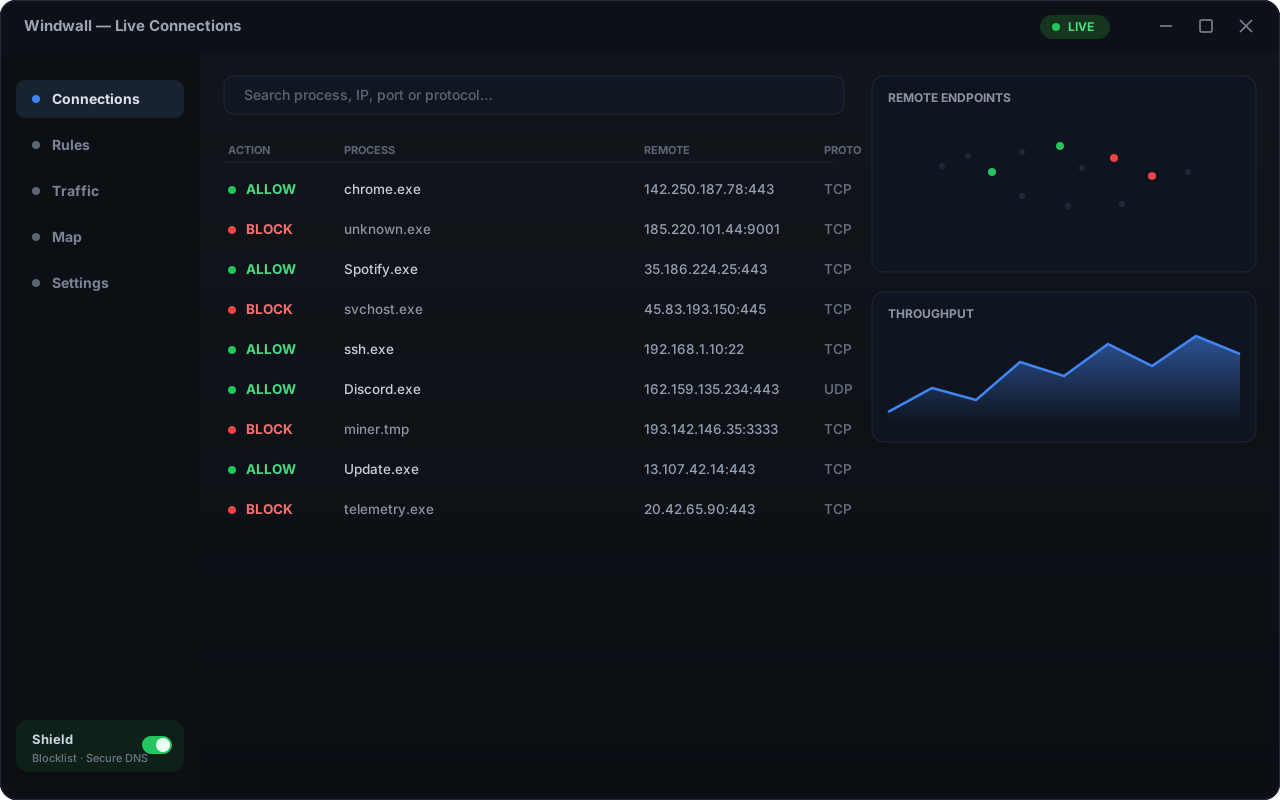
What Windwall does
The whole feature set, written the way Windwall writes firewall rules.
Firewall Rules
Enumerate, toggle, create and delete — this is what Windwall sets up for you
-
ALLOWED
Live connection log
Every allowed and blocked connection on your PC, streaming in real time. Search by process, IP, port or protocol.
-
ALLOWED
Native firewall rules
Create, toggle and delete the genuine Windows Firewall rules — not a private copy. What Windwall shows is what Windows enforces.
-
ALLOWED
One-click security modes
Flip the whole machine between High, Medium and Low postures — from the window or the system tray.
-
ALLOWED
Smart block prompts
An unknown app reaches out, you get one card: Allow or Block. One click writes the matching rule.
-
BLOCKED
“Block with Windwall”
Right-click any program or folder in Explorer and it never phones home again — without even opening the app.
-
BLOCKED
Shield — malicious IPs & DNS Pro
Block a curated blocklist of botnet and malware IPs through hidden native rules, and route every adapter through a malware-filtering DNS resolver — even offline.
-
LIVE
Traffic Monitor & world map Pro
Live per-process bandwidth with WAN / LAN split and an interactive map of every remote endpoint.
-
LIVE
Connection history Pro
Hours and days of allowed and blocked events, kept and searchable — scrub back through time, not just the live tail.
Pricing
Free forever. Pro is a one-time key — no subscription, no account.
Protection mode
Free
The full control center
- Live connection log + search
- Create & manage native firewall rules
- High / Medium / Low security modes
- Smart Allow / Block prompts
- “Block with Windwall” right-click menu
- System tray + start with Windows
Windwall Pro Lifetime
Active defense + deep visibility
- Everything in Free
- Shield — block known-malicious IPs and route DNS through a malware filter
- Traffic Monitor — live per-process bandwidth, WAN / LAN split
- Interactive world map of remote connections
- Connection history — hours and days of allow / block events
- Up to 3 devices · lifetime license
Stripe checkout · key emailed instantly
Frequently asked questions
Still stuck, hit a bug, or have an idea? .
Is Windwall free?
Yes. The core firewall control center — the live connection log, native rule management, security modes and the right-click block menu — is free forever. Pro is an optional one-time €14.99 unlock for Shield, the Traffic Monitor and the connection world map.
Does Windwall replace the Windows Firewall?
No — it drives it. Windwall reads and writes the genuine Windows Firewall rules through the supported platform APIs, so everything it shows is the real system firewall, not a private copy.
Does Windwall need administrator rights?
Yes. Managing the Windows firewall requires elevation, so Windwall requests administrator privileges at launch and shows a one-click relaunch banner if it ever starts unelevated.
How does the Pro license work?
You buy a one-time license key on this site via Stripe. Paste it into Settings → Windwall Pro. It’s a lifetime license — one purchase, no subscription — and works on up to 3 devices at a time.
Where do I download Windwall?
Windwall is coming to the Microsoft Store very soon. The app will be free to install; Pro is unlocked with a license key bought here.